Best Shadow AI Detection Tools in 2026
Compare 12 shadow AI detection tools by how they find AI use (identity provider, browser, network) and what each misses, with 2026 pricing and setup.

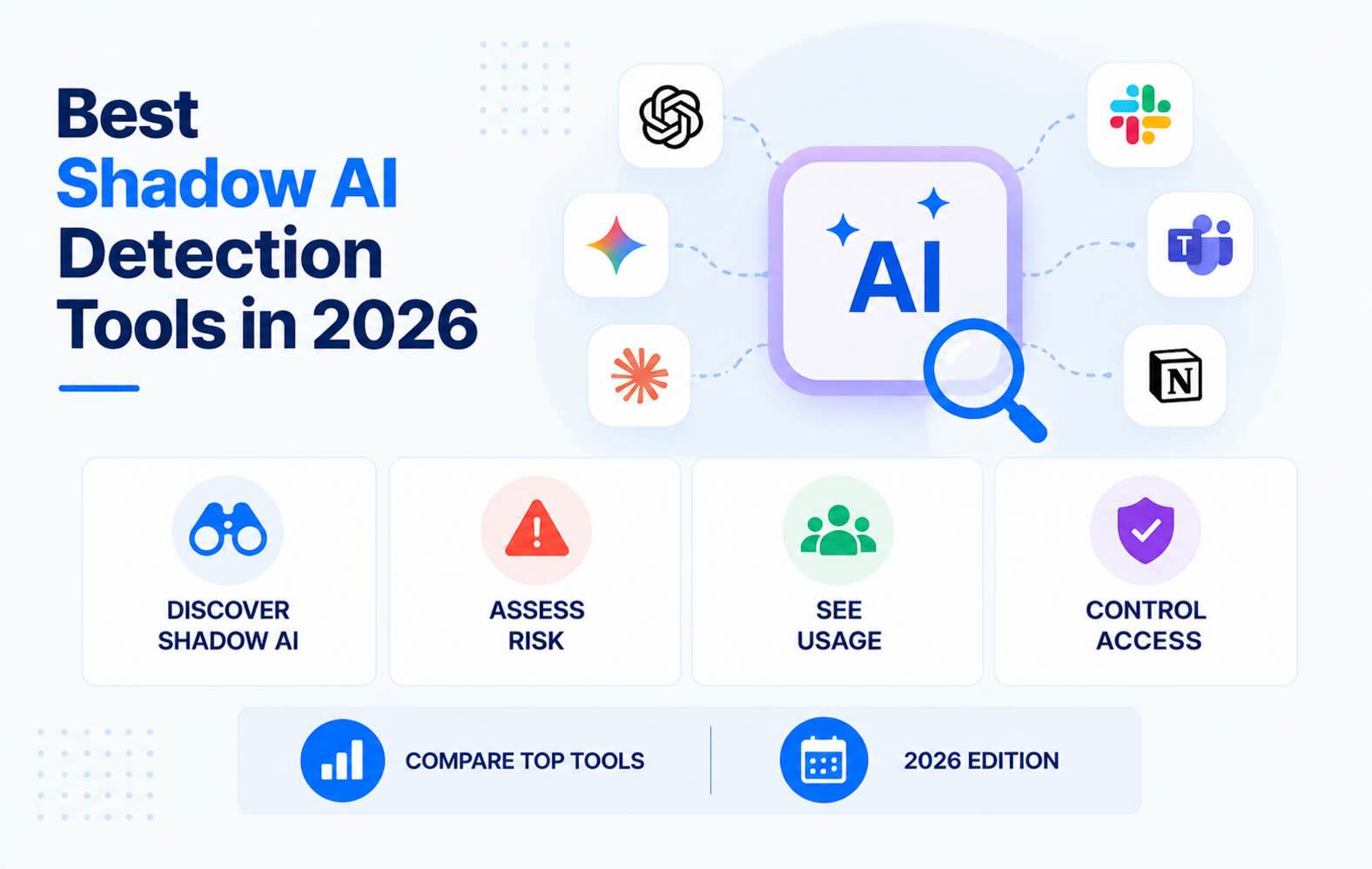
Shadow AI detection tools find the AI apps, assistants and agents employees use without IT approval, and show what company data each one can reach. This guide compares 12 tools by how they detect AI use: through the identity provider, email, the browser, the network or the endpoint. For each one it covers what the tool misses and what it costs where the vendor publishes pricing.
- Where a tool looks decides what it finds. Identity-based tools read OAuth grants in Google Workspace or Entra ID. Browser tools watch AI sites and prompts, and network tools inspect traffic. Netskope says network tools can't see third-party OAuth apps, and both Netskope and Zscaler sell separate API products to cover those connections.
- Microsoft's Shadow AI page finds desktop AI agents, not SaaS AI apps. It has been in public preview since May 2026, needs Microsoft 365 E5 and Defender for Endpoint, and can block only OpenClaw, on Windows devices managed by Intune.
- Google Workspace has no shadow AI view. Its app access list shows every app with OAuth access and the scopes it holds, but it doesn't label AI tools or rate their risk.
- Most organizations need two layers. The identity provider shows which AI tools can reach company data. The browser or the network shows what people type into them.
- Synk.to lists every AI tool connected to Google Workspace or Entra ID, with a Critical, High, Medium or Low risk tier for each grant. It connects read-only in about 5 minutes and costs $1 per user per month.
How shadow AI detection works
Every shadow AI detection tool watches one or more of five places. Where a tool looks decides what it can find, so start here before comparing vendors. For the hands-on version, see how to detect shadow AI in Google Workspace and Microsoft 365.
1. The identity provider: OAuth grants and sign-ins
An employee clicks "Sign in with Google" or "Sign in with Microsoft" on an AI tool, or lets it read their mail, files or calendar. Google Workspace or Microsoft Entra ID records the grant: which app, which user and which scopes. Identity-based tools read those records through the admin APIs.
- Catches: AI assistants, notetakers and agents connected with a work account, the data each one can reach, and who authorized it. It also catches AI agents that keep working in the vendor's cloud after the user closes the tab, which browser and network sensors miss.
- Misses: AI used in a browser without a work sign-in, personal accounts, and what people type into prompts.
2. The browser
A managed browser extension sees which AI sites people visit and which accounts they use there. Depending on the product, it also sees what they paste, type or upload.
- Catches: AI use on personal accounts, prompts and file uploads. It can also warn or block in the moment.
- Misses: devices and browsers without the extension, desktop apps, and AI agents that work through APIs.
3. The network: SSE, secure web gateway or CASB
Security service edge (SSE) platforms and secure web gateways sit between users and the internet, and classify traffic to known AI services.
- Catches: traffic to AI apps from managed devices and offices, with inline data loss prevention (DLP) on uploads.
- Misses: devices that don't route through the proxy, and API-to-API access. Netskope says third-party OAuth apps "can't be discovered or monitored by CASB, SWG, EDR, XDR, or SIEM tools since they run in the cloud outside of your enterprise perimeter" (Netskope).
4. The endpoint
Endpoint agents list installed desktop AI apps, coding tools, browser extensions and local agents. Microsoft's Shadow AI page and Netskope's endpoint scans both work this way.
- Catches: desktop assistants, AI coding tools and local agents on managed devices.
- Misses: unmanaged and personal devices, and anything that runs in the cloud.
5. Email and expense signals
Some tools scan sign-up, invoice and notification emails, or read card and expense data.
- Catches: AI accounts created with a work email address, including old ones, and paid subscriptions.
- Misses: AI tools used with personal email, and tools that never email the user.
What to look for in a shadow AI detection tool
- Coverage for your identity provider. It should read Google Workspace, Microsoft Entra ID or Okta directly through their admin APIs.
- Scope-level risk. A list of AI apps isn't enough. You need to know which ones can read mail, files or calendars, and for how many users.
- AI-specific categories. Notetakers, assistants, coding tools and agents carry different risks, and a good tool separates them.
- Alerts on new AI tools. A one-time inventory goes stale within weeks, because employees try new AI tools every month.
- Deployment effort. An API connection takes minutes. An extension rollout or traffic steering takes weeks.
- What happens next. Find out whether the tool blocks, coaches users or only reports, and where you remove access: in the tool or in the admin console.
- Pricing model. Check whether pricing is per user, per app or per platform, and whether there are minimums.
The best shadow AI detection tools in 2026
At a glance (detection method, then pricing):
- Synk.to: OAuth grants in Google Workspace and Entra ID. $1 per user per month.
- Microsoft 365: Defender for Endpoint, Defender for Cloud Apps and Entra ID. Included in Microsoft 365 E5.
- Google Workspace Admin console: the OAuth app list and logs. Included.
- Nudge Security: email, OAuth and browser. From $750 per month.
- Reco: SaaS APIs, OAuth and browser runtime. Not public.
- Push Security: browser extension. $5–6 per employee per month.
- Harmonic Security: browser and endpoint, down to the prompt. Not public.
- Grip Security: email, identity and browser. Not public.
- Auvik SaaS Management: identity provider, browser and endpoint. Not public.
- Netskope Skylight: inline SSE inspection. Not public.
- Zscaler AI Protect: inline SSE inspection. Not public.
- Palo Alto Networks AI Access Security: Prisma SASE and NGFW. Not public.
1. Synk.to: shadow AI detection from Google Workspace and Entra ID sign-ins
Synk.to connects read-only to Google Workspace or Microsoft Entra ID. It lists every OAuth app, AI tool and Apps Script project employees authorized with their work account. For each one it shows who authorized it and which scopes it holds. AI-related apps are labeled in the inventory, and AI notetakers get their own Notetaker category.
- How it detects: OAuth grants and sign-ins, read through the identity provider's admin APIs. There's nothing to install on devices or browsers. In Google Workspace it looks back 6 months, the full retention of Google's OAuth token log (Synk.to docs).
- What it finds: every connected AI assistant, notetaker and agent, with a Critical, High, Medium or Low risk tier for each grant.
- Risk follows the single most dangerous permission. Full Gmail or Drive access is Critical, reading all email is High, email metadata is Medium, and sign-in alone is Low.
- The docs classify close to 60 Google Workspace scopes.
- Alerts: on new risky apps, risky scopes and orphan accounts, plus a weekly digest. A category alert can tell you when someone grants scopes to, or just signs in to, a newly discovered notetaker.
- Watch out for:
- It sees AI tools that use Google or Microsoft sign-in or OAuth. It doesn't see AI used in a browser without a work sign-in, and it doesn't read prompts.
- Synk.to shows risky grants but doesn't revoke them. You remove access in the Google Admin console or Entra.
- Deployment: a read-only connection that takes about 5 minutes.
- Pricing: $1 per user per month, no minimum seats, with a 14-day free trial.
- Best for: IT and security teams on Google Workspace or Entra ID that need to know which AI tools can reach company data, without deploying an agent or a browser extension.
2. Microsoft 365: Shadow AI page, Defender for Cloud Apps and Entra ID
Microsoft now has several overlapping views of shadow AI. Which ones you get depends on your licenses and on which devices run Defender for Endpoint.
- Shadow AI page (Microsoft 365 admin center → Agents → Shadow AI):
- It's been in public preview since May 2026, through the Frontier program (Microsoft Learn).
- It finds unmanaged AI agents installed on devices: OpenClaw, ChatGPT Desktop, Ollama, Poe, OpenCode, Claude Desktop and Claw/ZeroClaw.
- It needs Defender for Endpoint and Microsoft 365 E5. Only OpenClaw can be blocked, and only on Windows devices managed by Intune.
- Defender for Cloud Apps:
- It has a Generative AI category with more than a thousand apps, each scored on 90+ risk factors (Microsoft Learn). It finds them in traffic logs from Defender for Endpoint, log collectors or a secure web gateway.
- Marking an app unsanctioned blocks it on devices onboarded to Defender for Endpoint.
- It can also list OAuth apps with access to Microsoft 365, Google Workspace and Salesforce data, with a High, Medium or Low permission level (Microsoft Learn). That OAuth view doesn't label which apps are AI.
- Entra ID:
- Enterprise applications → [app] → Permissions shows admin and user consent grants.
- By default, users can consent to any app that only asks for permissions that don't need an admin (Microsoft Learn).
- Global Secure Access adds network-based discovery of ChatGPT, Claude, SaaS MCP servers and AI model providers (Microsoft Learn).
- Watch out for:
- Discovery depends on Defender for Endpoint or Global Secure Access running on managed devices.
- Defender for Cloud Apps can't discover apps outside Microsoft's catalog by default (Microsoft Learn).
- The Shadow AI page covers desktop agents, not SaaS AI apps or OAuth grants.
- Pricing: included in Microsoft 365 E5. Defender for Cloud Apps is also sold on its own.
- Best for: Microsoft-only organizations that already run E5 and Defender for Endpoint on every device.
3. Google Workspace Admin console (built in)
As of November 2026, Google has no dedicated shadow AI discovery feature. The AI control center, launched in May 2026 for Enterprise Standard and Plus, covers Gemini usage across Workspace, not third-party AI tools (Workspace Updates). For those, there are two native views:
- App access control (Security → Access and data control → API controls → Manage App Access):
- It lists every third-party app that accessed Workspace data, with the number of users and the OAuth scopes requested. You can export it to CSV (Google).
- Apps appear 24–48 hours after authorization.
- You can mark each app Trusted, Limited or Blocked.
- OAuth log events (Reporting → Audit and investigation → OAuth log events): grant and revoke events per user, kept for 6 months (Google).
- Watch out for:
- There's no AI label and no risk rating. You have to recognize the AI tools in the list and judge their scopes yourself.
- By default, users can authorize any third-party app.
- AI used without a Google sign-in never shows up.
- Pricing: included in Google Workspace.
- Best for: a one-off manual review, and as the record you check any tool's findings against. The OAuth app audit guide walks through it.
4. Nudge Security: past and present AI accounts, found through email
Nudge Security finds AI tools mainly through the mailboxes in Microsoft 365 or Google Workspace. Sign-up, invoice and notification emails reveal AI accounts, including ones created before you started looking. In an August 2026 comparison of discovery methods, Nudge concludes that "no single discovery method gives you the full picture" (Nudge Security).
- How it detects:
- Email analysis, plus API, SSO and OAuth-grant integrations with Microsoft 365, Google Workspace, Okta and Entra ID.
- An optional browser extension for Chromium browsers, Firefox and Safari.
- What it finds: AI apps and accounts, OAuth, API and MCP integrations, AI agents and AI spend. With the extension, it also sees file uploads, pasted API keys and sensitive data in ChatGPT, Claude and Gemini chats.
- What it does about it:
- Browser nudges that steer people away from unapproved apps, show your AI acceptable use policy and collect exception requests.
- Nudge favors warnings over blocking.
- Watch out for:
- Email discovery misses AI sign-ups made with personal email unless the extension is deployed.
- You can't limit monitoring to a subset of mailboxes (Nudge Security).
- Deployment: no endpoint agents or network proxies. Nudge says most organizations deploy it in under an hour.
- Pricing: published. $750 per month for up to 150 users, then $5 per user per month up to 1,500 users, billed annually. Above that, pricing is custom.
- Best for: mid-size companies that want an inventory of past and current AI use, and that prefer coaching people to blocking them.
5. Reco: AI agents and data flowing from SaaS apps to AI
Reco connects to hundreds of SaaS apps through their APIs and maps how agents, identities, permissions and MCP servers connect. It raised a $30 million Series B in February 2026 and another $55 million in September 2026 (Reco).
- How it detects: OAuth connection monitoring, email metadata, SSO logs, browser behavior and network traffic analysis. It integrates with Google Workspace, Microsoft 365 and Okta.
- What it finds:
- AI agents operating outside IT oversight, and the data they access.
- Data moving from your SaaS apps to unauthorized AI tools.
- What it does about it:
- Tickets and custom policies.
- At runtime, it can block, warn, redact or log, with copy-paste and file upload guardrails (Reco).
- Browser Guard, generally available since September 2026, adds controls in the browser.
- Watch out for: it's an integration project. Reco quotes 3–5 days to integrate.
- Deployment: API integrations. Runtime enforcement works through the browser, the app or the endpoint, with no new proxy.
- Pricing: not public.
- Best for: large enterprises that need to govern AI agents and the connections between their SaaS apps and AI tools.
6. Push Security: shadow AI control in the browser
Push Security is a browser extension. It sees AI logins, OAuth consent screens and AI extensions as they happen, and can act on them in the moment.
- How it detects: browser login events, OAuth consent flows and extension installs, plus identity provider integrations with Google Workspace, Microsoft 365 and Okta.
- What it finds:
- Whether people sign in to AI tools with personal or work accounts.
- OAuth grants, with the scopes requested and who approved them.
- AI browser extensions and their permissions.
- Prompts, clipboard use and file uploads.
- What it does about it:
- Monitor, warn or block. It can block personal-account logins, require SSO and block OAuth consent to AI tools.
- File upload and clipboard controls were added in June 2026 (Push Security).
- Watch out for:
- It sees only browsers that have the extension.
- Its pages don't mention finding AI accounts created before it was rolled out.
- Deployment: force-installed through MDM (Intune, Jamf or the Google Admin console), by email enrollment or by employees themselves, "in under a day". It supports all major browsers and works on personal devices.
- Pricing: published. $6 per employee per month billed monthly, or $5 on an annual contract, for up to 500 employees (Push Security).
- Best for: teams that want to enforce AI policy where it happens: personal accounts, consent screens and uploads.
7. Harmonic Security: what goes into AI prompts
Harmonic Security is built around data protection. It watches what employees send to AI tools and can redact it before it leaves.
- How it detects:
- A browser extension that monitors web traffic.
- An endpoint agent for desktop apps, IDEs and coding agents, added in May 2026 (Harmonic Security).
- An MCP gateway, and identity data from Entra ID, Okta and Google Workspace.
- What it finds: AI use across more than 10,000 apps, including on personal accounts. It sees prompts in more than 1,000 apps, and gives each app a risk score, including whether the vendor trains on your data (Harmonic Security).
- What it does about it: inline warnings, nudges or blocks in under 200 milliseconds, limits on personal and free accounts, and on-device models that detect and redact sensitive data.
- Watch out for:
- The extension captures raw prompts (Harmonic docs), so involve your privacy team.
- The entry tier only monitors. Coaching and endpoint coverage start one tier up.
- Deployment: through MDM only. Harmonic doesn't support manual installs.
- Pricing: not public. There are three packages: Explore, Guide and Command.
- Best for: data protection teams that need to see and control what goes into prompts, in the browser and on the desktop.
8. Grip Security: AI and SaaS history from email and identity data
Grip Security connects to your email and identity provider to rebuild a history of AI and SaaS use, tied to the people who use each tool.
- How it detects: email and identity provider connections (Okta, JumpCloud, Google Workspace, Entra ID, Exchange Online and Gmail), integrations with ChatGPT Enterprise and Gemini, and an optional Grip Extend browser extension (Grip Security).
- What it finds:
- A historical inventory of AI and SaaS use, with OAuth scopes ranked by risk.
- Non-human identities such as service accounts and API keys.
- Since August 2026, AI agents and what each agent can reach (Grip Security).
- What it does about it: revokes OAuth access, enforces SSO or MFA, rotates passwords, disables leavers' accounts, and runs Slack alerts and approvals.
- Watch out for:
- You need the browser extension for apps that don't send email alerts.
- Grip estimates about 20 hours of onboarding work across teams, and 5 days to collect the full history.
- Deployment: API connection in about 10 minutes.
- Pricing: not public. It's billed annually per user, and there's a free one-off AI governance assessment (Grip Security).
- Best for: enterprises that want historical AI discovery and automated cleanup in one platform.
9. Auvik SaaS Management: AI usage reporting for IT teams and MSPs
Auvik SaaS Management combines an identity provider connection, a browser extension and a lightweight desktop agent to report who uses which AI tools and how often.
- How it detects:
- Identity provider integration with Entra ID, Google Workspace or Okta.
- A browser extension that matches activity against a database of 125,000+ SaaS apps.
- Endpoint collectors that track logins to AI platforms.
- What it finds: each AI tool's users and how often they use it, AI risk scores and categories, and adoption by department, with a year of history.
- What it does about it: alerts and reports. Auvik "focuses on discovery and monitoring rather than blocking". Access can be enforced through SSO.
- Watch out for: there's no native blocking. Auvik aims it at IT teams with more than 100 SaaS apps and at MSPs.
- Deployment: Auvik says it takes about 2 minutes to connect Entra ID and 6 minutes to deploy an endpoint agent (Auvik).
- Pricing: not public. It's a flat per-user price with a 14-day free trial.
- Best for: MSPs and IT teams that need AI usage reporting more than enforcement.
10. Netskope Skylight: inline AI discovery and prompt DLP
Netskope renamed its AI security suite Netskope Skylight in September 2026 (Netskope). It finds AI apps by inspecting the traffic that passes through Netskope's security service edge.
- How it detects:
- Inline inspection of the traffic you steer to Netskope.
- API-based protection.
- Since the AI Command Center launch in June 2026, scans of installed apps, running processes and listening ports on managed endpoints (Netskope).
- What it finds:
- Which AI apps are used, in which instance (corporate or personal), and what people do in them: log in, post, upload or download.
- Its Cloud Confidence Index rates more than 370 generative AI apps, including how they use data and whether they train models on it (Netskope).
- What it does about it:
- DLP and AI guardrails inspect prompts and responses in real time.
- It coaches users or redirects them to sanctioned AI apps, and can restrict personal instances.
- Since March 2026 it also brokers MCP traffic.
- Watch out for:
- It only sees traffic steered to Netskope.
- User-connected OAuth apps need its separate SSPM product.
- Deployment: the Netskope client and traffic steering on managed devices.
- Pricing: not public. Inline products are priced per user.
- Best for: enterprises that already route traffic through Netskope and need DLP at the prompt.
11. Zscaler AI Protect: AI controls on the Zero Trust Exchange
Zscaler launched its AI security suite, now Zscaler AI Protect, in January 2026 (Zscaler). It also bought the AI security company SPLX in November 2025 and the browser security company SquareX in February 2026.
- How it detects:
- Inline, through the Zero Trust Exchange. The Client Connector agent forwards user traffic.
- Since June 2026, endpoint coverage for browsers, plugins, extensions and local AI tools, plus support for OpenAI's and Anthropic's compliance APIs (Zscaler).
- What it finds: thousands of AI apps, including AI built into popular SaaS apps. It extracts and classifies prompts and responses in more than 250 generative AI apps.
- What it does about it:
- Allow, block or coach by user or group, with inline DLP.
- In the browser it can warn, block or isolate the session to control copy and paste.
- It can allow prompts while stopping bulk uploads (Zscaler).
- Watch out for:
- It sees traffic that passes through Zscaler.
- Third-party app connections need a separate product. Zscaler itself says "most organizations are blind to these connections" (Zscaler).
- Deployment: the Client Connector, installed with TLS certificates through Intune or another MDM.
- Pricing: not public.
- Best for: organizations already on Zscaler Internet Access.
12. Palo Alto Networks AI Access Security: generative AI control for Prisma SASE
AI Access Security adds a generative AI app catalog and controls to Palo Alto Networks' firewalls, Prisma Access and Prisma Browser. Palo Alto has built out its AI security line with three acquisitions: Protect AI in July 2025, then Koi and Portkey in 2026.
- How it detects: inline, on next-generation firewalls, Prisma Access and Prisma Browser (Palo Alto Networks docs).
- What it finds: generative AI apps, agents and marketplace plugins, and who uses them, from a catalog of 4,000+ apps with 80+ AI-specific attributes.
- What it does about it:
- Classify apps as sanctioned, tolerated or unsanctioned, and control uploads and downloads.
- Block sensitive text and files from reaching AI apps, and coach users.
- Watch out for:
- It's licensed separately and needs the Strata Logging Service.
- Data on third-party AI plugins comes from Palo Alto's SSPM product.
- Deployment: on an existing Palo Alto Networks firewall, Prisma Access or Prisma Browser deployment.
- Pricing: not public.
- Best for: organizations that already run Palo Alto Networks firewalls or Prisma SASE.
How to choose
- You run Google Workspace or Entra ID and need to know which AI tools can reach company data. Start with an identity-based tool:
- Synk.to does this read-only for $1 per user per month.
- Nudge Security and Grip Security add a history built from email.
- You're Microsoft-only on E5. Turn on Defender for Cloud Apps' Generative AI discovery and the Shadow AI page first. Then cover OAuth grants, and devices without Defender for Endpoint.
- You need to see or stop what people paste into prompts. Add a browser layer such as Push Security or Harmonic Security. If your traffic already flows through Netskope, Zscaler or Palo Alto Networks, use their AI controls.
- You need to govern AI agents across dozens of SaaS apps: Reco or Grip Security.
- You're an MSP, or need usage reports more than enforcement: Auvik SaaS Management.
- You're starting with no budget. Export Google's app access list or Entra's enterprise apps and review the AI tools by scope. It's manual, but it's already included in your licenses. Then decide which gaps are worth paying to close.
For shadow IT beyond AI tools, see our list of shadow IT discovery and detection tools.
FAQs
How is shadow AI detected?
Through five signals: OAuth grants and sign-ins in the identity provider, browser activity, network traffic, endpoint inventories, and email or expense records. Identity-based detection shows which AI tools can reach company data, including agents that run in the vendor's cloud. Browser and network detection show what people type or upload. Most organizations combine an identity layer with a browser or network layer.
What is a shadow AI tool?
It's any AI app, assistant, notetaker, browser extension or agent that employees use with company data without IT or security approval. It becomes a risk when it holds access to mail, files or calendars, or when people paste sensitive data into it.
What are examples of shadow AI?
An employee connects an AI notetaker to their work calendar, pastes customer data into a personal ChatGPT account, or installs an AI browser extension that reads every page. Others grant an AI email assistant full Gmail access, or run a desktop agent like OpenClaw or Claude Desktop on a work laptop. AI notetakers are the fastest-spreading example.
How do you prevent shadow AI?
You can't block every AI tool. Approve a few that people actually want, and restrict user consent to unverified apps in Google Workspace and Entra ID. Alert on new OAuth grants with risky scopes, publish an AI acceptable use policy, and review the AI inventory every month. Blocking alone pushes people to personal accounts, which are harder to see.
Can Microsoft 365 detect shadow AI on its own?
Partly, if you have Microsoft 365 E5 and Defender for Endpoint. Defender for Cloud Apps discovers generative AI apps from traffic on managed devices, and the Shadow AI page, in preview since May 2026, finds desktop AI agents. Entra ID shows consent grants, but neither it nor Defender's OAuth app view labels which apps are AI tools. AI used on unmanaged devices isn't covered.
Does Google Workspace show which AI apps employees use?
It shows every third-party app that accessed Workspace data through OAuth, with user counts and scopes, under Security → Access and data control → API controls → Manage App Access. The OAuth log keeps 6 months of grant events. It doesn't label AI apps, doesn't rate risk, and can't see AI used without a Google sign-in. The AI control center, launched in May 2026, covers Gemini, not third-party AI tools.
Do you need a browser extension to detect shadow AI?
Not to find AI tools that are connected to company data. Those show up as OAuth grants in the identity provider, with nothing to install. You need a browser extension or an SSE to see AI used with personal accounts and what people paste into prompts. Extensions only cover enrolled browsers on managed devices.
Which shadow AI apps carry the most risk?
The ones that hold broad access for a long time: AI email assistants with full Gmail access, notetakers with calendar access, and AI agents that can read or write files. Synk.to rates full Gmail or Drive access as Critical and reading all email as High. One person's grant can expose everyone they email or meet with. See how third-party OAuth app risk builds up.
How does Synk.to detect shadow AI?
Synk.to connects read-only to Google Workspace or Microsoft Entra ID. It lists every AI tool, notetaker and agent your users connected with their work accounts, who connected each one, and which scopes it holds. Each grant gets a Critical, High, Medium or Low risk tier. Alerts flag new risky apps and scopes, and a weekly digest sums them up. Synk.to doesn't revoke access itself; it shows you which grants to remove in the Admin console or Entra. Setup takes about 5 minutes, and pricing is $1 per user per month. Start free.
Connect Google Workspace or Microsoft Entra ID read-only. Synk.to lists every account, OAuth app and AI tool, and flags inactive, orphaned and ex-employee accounts. $1 per user per month.