Orphaned Accounts: Find and Remove Them in Google Workspace and Entra ID
How to find orphaned, stale and inactive accounts in Google Workspace, Microsoft Entra ID and SaaS apps, remove them safely and stop new ones appearing.

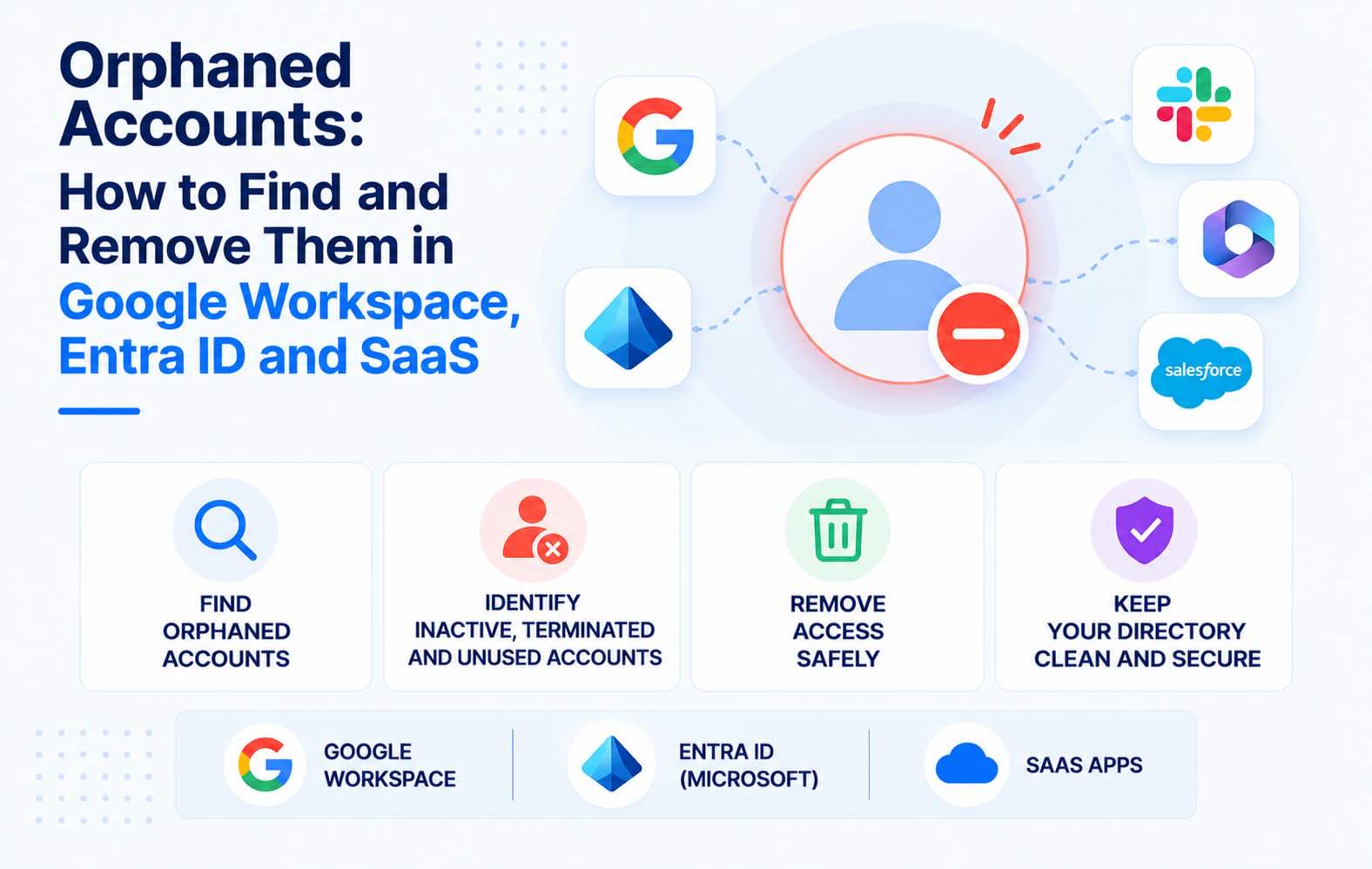
An orphaned account is a user account that no longer has an active owner: usually someone who left the company, sometimes a shared, test or service account that nobody looks after any more. This guide shows how to find orphaned accounts in Google Workspace, Microsoft Entra ID and the SaaS apps around them, how to remove them without losing data, and how to stop new ones from appearing.
- An orphaned account has no active owner. Most belong to people who left. Shared inboxes, test accounts, service accounts and app connections become orphaned too when the person who set them up moves on.
- Disabling the Google or Entra account doesn't close everything. Accounts in apps outside single sign-on, API tokens, and apps the person connected for the whole company can keep working after the identity provider account is off.
- Attackers use them because nobody is watching. Midnight Blizzard's 2024 breach of Microsoft started with a legacy test account that had no MFA. Colonial Pipeline's 2021 ransomware attack started with a VPN account that was no longer in use but still active.
- Find them by matching accounts to people. Compare each app's user list with HR records and your identity provider, and flag accounts with no sign-in within your inactivity limit: 45 days under CIS Controls, 90 days under PCI DSS.
- Disable first, delete later. Move the data, end sessions and app tokens, close the accounts inside each app, and delete after a waiting period.
What is an orphaned account?
An orphaned account (also called an orphan account) is a user account with no active owner. The person it belonged to has left, changed roles or finished a contract, or it's a shared, test or service account and the person responsible for it is gone. The account still exists, still holds its permissions and often still has a working password.
The related terms overlap, but they aren't the same:
- Orphaned account: nobody owns it. The owner left, or no one is responsible for it.
- Stale or inactive account: not used for a set period, such as 90 days. It may still have an owner, for example someone on parental leave.
- Dormant account: usually another word for inactive. Banks use the same term for unused bank accounts, which is a different topic.
- Zombie account: an informal name for an account that should be dead but still works, typically an ex-employee's account in a SaaS app.
Many orphaned accounts are also inactive, which is why the search usually starts with last sign-in dates. But an active shared account can be orphaned, and an inactive account can still have an owner, so last sign-in alone isn't enough.
Where orphaned accounts come from
- Offboarding that stops at the identity provider. IT disables the person's Google Workspace or Entra ID account. Apps they signed up for with a work email and password, apps with their own local admin accounts, and apps that never receive the change keep the account open.
- Shared, test and service accounts. A shared inbox for invoices, a test account for a vendor demo, an account a script signs in with. When the person who created it leaves, nobody knows whether it's still needed or who has the password.
- Contractors and guests. Contractor accounts created in a hurry, and guest accounts in Entra ID that outlive the project. Microsoft's inactive guest report treats 90 days without a sign-in as inactive by default.
- Role changes. Someone moves to another team and keeps admin rights in the old team's tools. The account is active, but the access no longer has an owner who would notice misuse.
- App connections set up by people who left. An admin who set up domain-wide delegation for a service account in Google Workspace, or consented to an app for the whole organization in Entra ID. Those permissions belong to the app, not to the admin, so disabling the admin's account changes nothing. See third-party OAuth app risk.
- Mergers and old systems. Accounts migrated from an acquired company's tenant or an old directory "for now", with no one assigned to review them.
Why orphaned accounts are a security risk
- Nobody notices when they're used. There's no owner to see an unexpected sign-in alert or an MFA prompt.
- Their credentials don't change. Passwords stay the same for years, and older accounts often predate the company's MFA rollout.
- They keep their permissions. Admin roles, shared drive access and API access stay in place until someone removes them.
- They cost money. Google bills suspended Workspace accounts at the same rate as active ones, and SaaS seats keep renewing.
- Auditors look for them. PCI DSS 4.0 requirement 8.2.5 says access for terminated users is revoked immediately, and 8.2.6 says inactive user accounts are removed or disabled within 90 days (Microsoft's PCI DSS mapping). SOC 2 and ISO 27001 auditors test the same thing: that leavers lost their access on time.
Three incidents show how this plays out:
- Microsoft, detected January 12, 2024. Midnight Blizzard used password spraying to compromise "a legacy, non-production test tenant account that did not have multifactor authentication (MFA) enabled". From there it found a legacy test OAuth app with elevated access to Microsoft's corporate environment and used it to reach mailboxes (Microsoft Security blog). A forgotten test account and a forgotten test app.
- Colonial Pipeline, April 2021. The attackers logged in through a VPN account that "was no longer in use at the time of the attack but could still be used to access Colonial's network", Mandiant's Charles Carmakal told Bloomberg. The account had no MFA, and its password had turned up in a leak.
- Disney, 2024. A menu production manager fired in June 2024 kept getting into a vendor's menu app through an administrative account and an access link meant for contractors, both still working after he left, and changed allergen information on menus. He was sentenced to three years in April 2025 (The Register).
How to find orphaned accounts in Google Workspace
Menu names are as of November 2026.
- Check last sign-in. In the Admin console, open Directory → Users. The Last sign in column shows roughly when each user last signed in, such as "2 months ago", or "Hasn't signed in". Google says the data can lag by a couple of hours up to 3 days (Google Workspace Admin Help). Sorting by it in the console is awkward, so for more than a few dozen users, select Download users (the export includes last sign-in) and sort it in a spreadsheet, or pull the same data through the Admin SDK Reports API.
- Review suspended users. Suspended users keep their data, collaborators keep access to the files they shared, and Google charges for them like active users. For each one, decide: move the data and delete the account, or keep it with a written reason.
- See what each departed user connected. Open the user and go to Security → Connected applications to see the third-party apps with access to their data, and remove them. For the whole domain, Security → Access and data control → API controls → Manage Third-Party App Access lists every app and how many users connected it. The Reporting → User reports → Accounts report also shows an external apps count per user.
- Check domain-wide delegation. Security → Access and data control → API controls → Manage Domain Wide Delegation lists the service accounts that can reach any user's data without asking them. For each client ID, find out who set it up and whether it's still used. An entry nobody can explain is an orphaned grant.
- Find Apps Script projects owned by people who left. Scripts run with the permissions of the account that owns them, and they're easy to miss in offboarding. Our Apps Script audit guide shows where to look.
How to find orphaned accounts in Microsoft Entra ID
- Add the last sign-in column. In the Microsoft Entra admin center, go to Entra ID → Users, select Manage view → Edit columns, and add Last interactive sign-in time. Then use Add filter with the operator <= and your cutoff date. Reports Reader is the least privileged role that can see it (Microsoft Learn).
- Check both kinds of sign-in. In Microsoft Graph,
signInActivityreturnslastSignInDateTime(the last interactive attempt, including failures),lastNonInteractiveSignInDateTimeandlastSuccessfulSignInDateTime. Reading the last successful sign-in needs Entra ID P1 or P2. An account with no interactive sign-in for months but recent non-interactive sign-ins is still being used by some app or script, so find out what before you disable it. A blank value can mean the account never signed in, or last signed in before April 2020. - Pick a window that fits. Microsoft calls 90 to 180 days a reasonable window for many organizations, to allow for vacations and leave.
- Review guests separately. With Entra ID Governance or Microsoft Entra Suite, ID Governance → Dashboard → Guest access governance → View inactive guests lists guests with no sign-in for 90 days, a default you can change (Microsoft Learn). Without that license, filter the user list by user type Guest and use the last sign-in column.
- Check who owns your apps. Under Enterprise applications and App registrations, look at each app's owners and at apps with admin consent. Application permissions belong to the app, so they survive the departure of the admin who granted them. An app whose owners have all left has nobody rotating its secrets or reviewing what it can reach.
How to find orphaned accounts in SaaS apps
This is the hardest part, because offboarding usually ends at the identity provider.
- List the apps. Start with SSO apps and OAuth grants from your identity provider, then add apps from expense data. Our SaaS sprawl guide covers what each source finds and misses.
- Export each app's users. Most admin consoles export a user list with account status and last activity. Atlassian Administration, for example, shows a Last seen column under Directory → Users and exports a last-active date per product (Atlassian).
- Match every account to a person. Join the exports on email address against your HR system's list of current employees and contractors, and against your identity provider. Flag accounts of people who are no longer in HR, accounts that don't exist in the identity provider (created outside SSO), accounts with no activity within your inactivity limit, and generic accounts such as test@ or billing@.
- Look past the user list. Check API tokens, bots and integrations created by people who left, local admin accounts that bypass SSO, and accounts registered with a personal email that never matched your domain.
- Start with admins. An orphaned admin account can create new accounts and change settings, so review each app's admin list first.
Doing this by hand means exporting and joining lists for every app, every month. Synk.to's SaaS user access audit does the listing and flagging automatically.
How to remove orphaned accounts safely
- Confirm before you remove anything. Ask the manager or app owner. Some inactive accounts belong to people on leave, service accounts that run once a month, or emergency access accounts that should stay, with an owner and MFA.
- Move the data first. In Google Workspace, transfer the user's Drive and Calendar data to another user before deleting the account. In Microsoft 365, copy what the team needs from the mailbox and OneDrive before deletion.
- Disable the account and end its sessions. For Google Workspace, Google's checklist for a departing employee covers changing the password (which also revokes OAuth tokens issued for certain products), revoking the other authorized apps, resetting sign-in cookies, removing recovery details, revoking app passwords and security keys, and wiping mobile devices (Google Workspace Admin Help). In Entra ID, clear Account enabled and select Revoke sessions on the user's overview page. Access tokens last one hour by default, so most apps lose access within the hour. Apps that issue their own session cookies keep the session until it expires or the app removes the user (Microsoft Learn).
- Close the accounts inside each app. Deactivate the user in every SaaS app you found, transfer ownership of their content and integrations, and rotate any shared passwords or API keys they knew.
- Wait, then delete. Keep accounts disabled for a set period so mistakes can be undone. Microsoft's guest review pattern blocks sign-in for 30 days before deleting. Google calls deleting the account, once the data is moved, the best way to make sure a former employee can't reach your data.
- Record what you did. Note who approved each removal, when, and what was transferred. That record is the evidence auditors ask for.
How to keep orphaned accounts from coming back
- Make HR the trigger. Every leaver in the HR system starts offboarding in IT, including apps outside SSO.
- Put SaaS accounts and app connections on the offboarding checklist, not only the Google or Entra account. The user access review checklist includes a template.
- Give every shared, test and service account a named owner and a review date.
- Limit what users can connect. In Google Workspace, restrict unconfigured third-party apps. In Entra ID, require admin approval for apps that ask for more than basic permissions. Fewer unreviewed grants means fewer orphaned ones. Our OAuth app audit guide walks through both.
- Set one inactivity limit and apply it everywhere. 45 days follows CIS Controls v8 Safeguard 5.3; 90 days follows PCI DSS. Check monthly, and run a full access review each quarter.
FAQs
What is an orphaned account?
An orphaned account is a user account that no longer has an active owner, usually because the person it belonged to left the company or changed roles. Shared, test and service accounts also become orphaned when the person responsible for them leaves. The account keeps its permissions until someone disables it.
What's the difference between orphaned, stale and dormant accounts?
Orphaned means the account has no active owner. Stale, inactive and dormant mean it hasn't been used for a set period, often 90 days. Many orphaned accounts are also inactive, but an active shared account can be orphaned, and an inactive account can still have an owner, for example someone on leave.
Why are orphaned accounts a security risk?
Nobody watches them, so misuse goes unnoticed. Their passwords rarely change, older ones often lack MFA, and they keep their permissions. Microsoft's 2024 Midnight Blizzard breach started with a legacy test account without MFA, and Colonial Pipeline's 2021 ransomware attack used a VPN account that was no longer in use.
How do I find inactive users in Google Workspace?
In the Admin console, open Directory, then Users, and check the Last sign in column, which can lag by up to 3 days. For larger domains, download the user list or use the Admin SDK Reports API and sort by last sign-in. Also review suspended users, which Google bills like active ones.
How do I find stale accounts in Microsoft Entra ID?
In the Entra admin center, open Users, choose Manage view, then Edit columns, add Last interactive sign-in time, and filter for dates before your cutoff. Microsoft Graph returns the same data in signInActivity, and reading the last successful sign-in needs Entra ID P1 or P2. Review guest users separately.
How long should an account be inactive before it's disabled?
Common limits are 45 days (CIS Controls v8, Safeguard 5.3) and 90 days (PCI DSS 4.0, requirement 8.2.6). Microsoft calls 90 to 180 days reasonable for many organizations. Pick one limit, apply it to every system, and document exceptions such as long leave.
Should I delete or disable orphaned accounts?
Disable first. Move the files and ownership the team needs, revoke sessions and app tokens, and keep the account disabled for a waiting period, often 30 days, so mistakes can be undone. Then delete it. Google recommends deleting a departed user's account once their data has been moved.
Do orphaned accounts matter for SOC 2 and ISO 27001?
Yes. Auditors test that access was removed when people left and that access is reviewed regularly. Active accounts of former employees are a typical audit exception, so keep a record of when each leaver's accounts were disabled, in which apps, and by whom.
How does Synk.to find orphaned accounts?
Synk.to connects read-only to Google Workspace or Microsoft Entra ID and to Slack, Jira, Confluence, Asana, Zoom and BambooHR, with no admin rights needed. Its SaaS user access audit shows every account across those apps in one table, flags inactive, orphaned and ex-employee accounts, and alerts you when a new orphan account appears. It also lists every OAuth app and Apps Script project your users connected, and who authorized each one. Start free.
Connect Google Workspace or Microsoft Entra ID read-only. Synk.to lists every account, OAuth app and AI tool, and flags inactive, orphaned and ex-employee accounts. $1 per user per month.