Claude Connectors and ChatGPT Apps: What They Can Access
What Claude connectors and ChatGPT apps can read and change in Google Workspace and Microsoft 365, how to see who connected them, and how to control them.

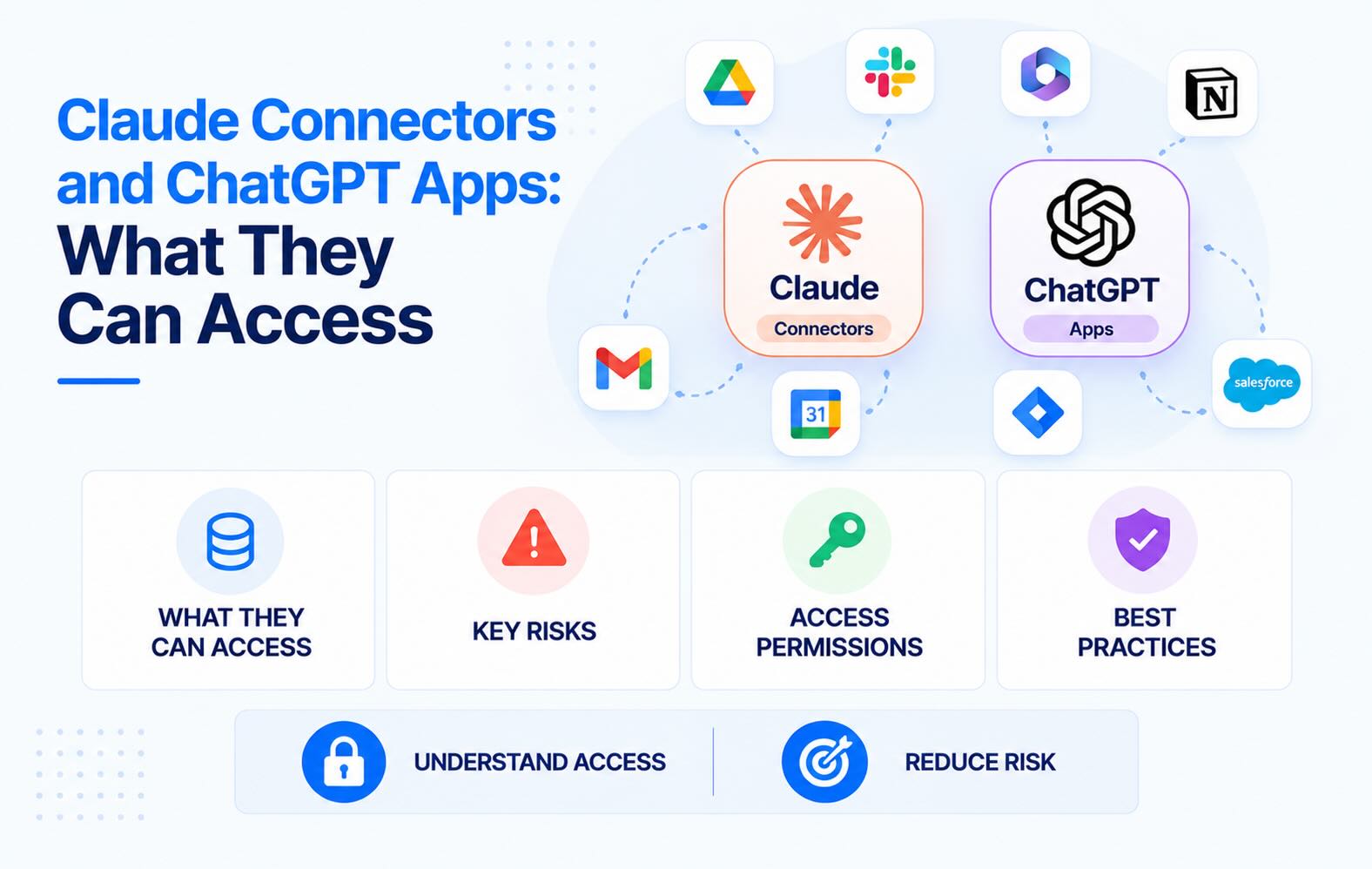
Claude connectors and ChatGPT apps let an AI assistant do a lot of actions on a user's behalf - search, read, write, post and many more. Each one is an OAuth grant in your identity provider. This guide lists what Claude's and ChatGPT's Google Workspace and Microsoft 365 integrations can reach, as documented by Anthropic and OpenAI in November 2026. It also covers how to see who connected them and how to allow, limit or block them.
- A connector is an OAuth grant. When a user connects Gmail, Drive or Outlook to Claude or ChatGPT, the assistant gets a token with the user's permissions. It can read whatever that user can read, and it can write if write tools are switched on.
- Microsoft 365 needs an admin first; Google Workspace often doesn't. Claude's and ChatGPT's Microsoft 365 integrations need one-time consent from an Entra administrator before anyone in the tenant can connect. Google Workspace lets users authorise any third-party app by default, so an employee on a personal Claude or ChatGPT plan can connect their work Gmail unless you've changed that setting.
- The scope list is long. Claude's Microsoft 365 connector requests read access to mail, calendars, OneDrive, SharePoint, Teams chats and channels, meeting transcripts and recordings. With write tools on, it adds Mail.Send, Files.ReadWrite.All and ChannelMessage.Send.
- You control it in two places. The AI vendor's admin console decides which connectors and actions members can use. Google API controls or Entra enterprise applications decide whether the OAuth app gets your data at all. Set both.
- Find the grants that already exist. Google's Accessed apps list and Entra's enterprise applications show who connected which assistant. Synk.to labels AI apps in that inventory and alerts on new risky scopes.
What Claude connectors and ChatGPT apps are
Both assistants use the same pattern: a user signs in to Google or Microsoft from inside the chat, approves a consent screen, and the assistant gets a token to call Gmail, Drive, Outlook or Microsoft Graph for that user.
- Claude calls them connectors. Anthropic ships Gmail, Google Calendar and Google Drive connectors, plus Docs, Sheets and Slides connectors for live editing, and one Microsoft 365 connector that covers Outlook, OneDrive, SharePoint and Teams. Team and Enterprise owners can also add custom connectors that point to any remote MCP server (Anthropic).
- ChatGPT calls them apps. OpenAI renamed connectors to apps in December 2025. Its admin console now groups apps into plugins, which can also bundle skills and custom MCP connections (OpenAI).
Whatever the name, your identity provider sees an OAuth app with a list of granted scopes, the users who granted them, and a token that keeps working until someone removes it.
What Claude's Google Workspace connectors can do
From Anthropic's documentation (Anthropic):
- Gmail. Read: Search and read messages, read metadata (not attachment content), list drafts. Write: Draft, send, reply, forward, manage labels and threads.
- Google Calendar. Read: View events and calendars, find mutual availability. Write: Create, update and delete events, manage attendees, respond to invitations.
- Google Drive. Read: Search and read Docs, Sheets, Slides, PDFs and Office files; view permissions and recent changes. Write: Upload, create folders, share, move and trash files.
- Docs, Sheets, Slides. Read: Open files in a side pane. Write: Edit live, create files, work with comments and suggestions.
A few details matter for admins:
- Send and share actions ask first by default. Claude asks for approval before each send, reply, forward, share, move or trash action. On Team and Enterprise plans, owners decide whether members can let these run without asking.
- Gmail, Calendar and Drive connectors are available on every Claude plan, including Free and Pro. On Team and Enterprise, an owner must switch them on before members can connect.
- Retrieved data is stored with the chat. Anthropic says data pulled through connectors is stored on its servers with the conversation and deleted when the chat is deleted. It says it doesn't train on connector data, but on consumer plans with training turned on, content copied from connectors into a chat may be used.
In Synk.to's scope risk model, full Gmail access and full Drive access are Critical, read-only Gmail and Drive are High, full Calendar access is High and read-only Calendar is Medium. A Claude user who connects all three Google connectors with write actions holds three of the riskiest grants in a Google Workspace tenant.
What Claude's Microsoft 365 connector can access
Anthropic publishes the full permission list (Anthropic). All are delegated permissions, so Claude acts as the signed-in user and can only reach what that user can.
- Mail. Read permissions (default): Mail.Read, Mail.ReadBasic, Mail.Read.Shared, MailboxFolder.Read, MailboxItem.Read, MailboxSettings.Read. Write permissions (only with write tools): Mail.Send, Mail.ReadWrite, MailboxSettings.ReadWrite.
- Calendar. Read permissions (default): Calendars.Read, Calendars.Read.Shared. Write permissions (only with write tools): Calendars.ReadWrite.
- Files. Read permissions (default): Files.Read, Files.Read.All, Sites.Read.All. Write permissions (only with write tools): Files.ReadWrite.All.
- Teams. Read permissions (default): Chat.Read, Chat.ReadBasic, ChatMember.Read, ChatMessage.Read, Team.ReadBasic.All, Channel.ReadBasic.All, ChannelMessage.Read.All. Write permissions (only with write tools): ChatMessage.Send, ChannelMessage.Send, Chat.Create.
- Meetings. Read permissions (default): OnlineMeetings.Read, OnlineMeetingTranscript.Read.All, OnlineMeetingAiInsight.Read, OnlineMeetingArtifact.Read.All, OnlineMeetingRecording.Read.All. Write permissions (only with write tools): none.
- Directory and sign-in. Read permissions (default): User.Read, User.ReadBasic.All, openid, profile, email, offline_access. Write permissions (only with write tools): People.Read.
What that means in practice:
- Sites.Read.All and Files.Read.All cover everything the user can open, not only their own OneDrive. Anthropic notes that SharePoint search covers the whole tenant. Overshared SharePoint sites become searchable through Claude for anyone with access to them.
- Meeting transcripts and recordings are in scope. If your users record Teams meetings, Claude can read the transcripts of meetings they can access.
- offline_access means a refresh token. Anthropic says refresh tokens expire after 90 days of inactivity by default (Anthropic). An active user's connection keeps working until it's revoked.
- Two enterprise apps appear in Entra: M365 MCP Client for Claude and M365 MCP Server for Claude.
- Conditional Access only partly applies. MFA and group-based access work, and device compliance is checked when the user connects. Location and network rules don't apply, because Claude's requests come from Anthropic's IP ranges.
- Graph calls are logged. Anthropic says every Graph API call the connector makes appears in your Microsoft 365 audit log.
What ChatGPT's Google and Microsoft apps can access
OpenAI's apps work the same way, with a different split of controls:
- Google: ChatGPT offers Gmail, Google Calendar and Google Drive apps. ChatGPT requests the Google scopes needed for whichever actions the workspace admin has enabled (OpenAI). On June 15, 2026, OpenAI added new Drive actions and Google Meet actions under Calendar, which need additional scopes. Workspaces set to enable new actions by default got them automatically unless an admin switched them off.
- Microsoft: ChatGPT has separate Outlook Email, Outlook Calendar, SharePoint and Teams apps. An Entra administrator has to grant organisation-wide consent first. The Outlook apps request delegated permissions including Mail.Read and offline_access (OpenAI). The SharePoint app needs Sites.Read.All and Files.Read.All approved in both ChatGPT and Entra (OpenAI).
- Read and write are set per action. In the ChatGPT Admin console, admins choose who can use each app, which read and write actions are enabled, and whether new actions turn on automatically (OpenAI).
OpenAI's action lists change often. Check the current list in your Admin console rather than relying on a blog post, including this one.
Why the Google side is open by default
In Microsoft 365, both Claude and ChatGPT need an Entra administrator's consent before anyone in the tenant can connect. That gate exists even if an employee pays for a personal Claude Pro or ChatGPT Plus plan.
Google Workspace works differently. Its default setting for unconfigured third-party apps is "Allow users to access any third-party apps" (Google). Unless you've blocked or limited the Claude or ChatGPT OAuth app, or changed that default, any employee can:
- Sign up for a personal Claude or ChatGPT plan with their work email.
- Connect Gmail, Calendar and Drive.
- Grant read and write scopes to the company mailbox and Drive.
No one in IT approves anything, and the company's Claude Team or ChatGPT Enterprise settings don't apply, because the employee isn't using the company workspace. The token sits in Google's Accessed apps list with every other OAuth grant. This is how shadow AI usually enters a Google Workspace tenant (see how to detect shadow AI).
How to see who connected them
Google Workspace
- In the Admin console, go to Security → Access and data control → API controls.
- Under Accessed apps, select View list. Each app shows the number of users and the services it requested. New grants can take 24–48 hours to appear.
- Look for the Claude and ChatGPT/OpenAI OAuth apps, then open each one to see which users authorised it.
- For timestamps per user, use Reporting → Audit and investigation → OAuth log events.
Microsoft Entra ID
- In the Entra admin center, open Enterprise applications and search for M365 MCP Server for Claude, M365 MCP Client for Claude, and the ChatGPT/OpenAI apps.
- Under Permissions, check the Admin consent and User consent tabs to see what was granted and by whom.
- Under Users and groups, see who is assigned, and check Sign-in logs for who actually uses it.
Both, continuously
The native views show a snapshot. To get an alert when a new AI app or a new risky scope appears, you need something that reads these logs on a schedule. Synk.to labels AI-related apps in the inventory and alerts on new risky apps and new risky scopes. See shadow AI detection for Google Workspace and Entra ID, or compare options in the best shadow AI detection tools.
How to allow, limit or block them
Set controls on both sides. The AI vendor's settings only cover your company workspace; your identity provider covers everyone.
In Google Workspace
- Per app: in API controls → Manage App Access, find the Claude or ChatGPT OAuth app and set it to one of four levels:
- Trusted: all services, including restricted ones like Gmail and Drive.
- Specific Google data: only the scopes you list.
- Limited: unrestricted services only.
- Blocked: no Google data at all.
- By group: apply a different level per organisational unit, for example Trusted for the team piloting Claude and Blocked for everyone else.
- For everything you haven't reviewed: change Unconfigured third-party apps to "Allow users to access third-party apps that only request basic info needed for Sign in with Google". New AI apps then can't read mail or files until you configure them. Configured apps keep working.
- Existing tokens: when you restrict a service, Google revokes the tokens of untrusted apps that were already installed. Changes can take up to 24 hours.
In Microsoft Entra ID
- Limit who can connect: on both Claude enterprise apps, set Assignment required? to Yes under Properties, then add the allowed users or groups under Users and groups. Anthropic says to apply the same assignments to both apps.
- Remove a single permission: on M365 MCP Server for Claude, go to Permissions → Admin consent and revoke it. For example, revoke Mail.Send to keep Claude read-only for mail. Tools that need it fail with "Failed to call tool".
- Keep user consent restricted: if users can consent to apps themselves, any new AI app can request mail and file access without IT. Require admin approval for apps that ask for more than basic sign-in permissions.
In Claude and ChatGPT admin settings
- Claude Team and Enterprise: owners enable or remove connectors under Organization settings → Connectors. Owners decide whether send, share, move and trash actions need confirmation every time. On Enterprise, write tools for the Microsoft 365 connector can be limited to certain users with custom roles.
- ChatGPT Business and Enterprise: in the Admin console → Plugins, choose who can use each app, which read and write actions are on, and whether new actions turn on automatically. Under Permissions & roles, decide who can create plugins with custom MCP servers.
A policy that holds up
- Pick one assistant per company and connect it through the company workspace. People connect AI to their mail because it's useful. A sanctioned option with your settings beats a personal plan with none.
- Start read-only. Enable search and read, keep send, share and delete off or behind confirmation, and add write actions per team when there's a real need.
- Close the Google default. Configure the AI apps you allow and set unconfigured apps to basic sign-in only. Without this step, the rest of the policy only covers people who follow it.
- Restrict by group in Entra, using assignment required on the enterprise apps.
- Review grants monthly, and remove tokens for people who left or stopped using the assistant. OAuth tokens aren't tied to a browser session, so make removing them part of offboarding.
FAQs
What are Claude connectors?
Claude connectors are integrations that let Claude read and act on data in other services, such as Gmail, Google Drive, Google Calendar, Microsoft 365, Slack or any remote MCP server. Each connector uses the signed-in user's own permissions through OAuth, so Claude can access what that user can access.
Can Claude read my company email?
Yes, if a user connects Gmail or the Microsoft 365 connector. Claude can then search and read that user's mail and, with write tools enabled, draft and send messages. For Microsoft 365, an Entra Global Administrator must consent for the tenant first. For Google Workspace, users can connect unless an admin has blocked or limited the Claude OAuth app or restricted unconfigured third-party apps.
Does the Claude Microsoft 365 connector need admin consent?
Yes, for work and school accounts. A Microsoft Entra Global Administrator grants one-time consent for the tenant, and on Team and Enterprise plans a Claude owner also enables the connector. Until both happen, members can't connect. Personal Microsoft accounts don't need an admin.
Are ChatGPT connectors and ChatGPT apps the same thing?
Yes. OpenAI renamed connectors to apps in December 2025. In the ChatGPT Admin console, apps are now managed under Plugins, which can also include skills and custom MCP connections.
How do I block ChatGPT or Claude from accessing Google Drive?
In the Google Admin console, go to Security → Access and data control → API controls → Manage App Access, find the ChatGPT/OpenAI or Claude OAuth app, and set it to Blocked, or to Limited to exclude restricted services like Drive and Gmail. Apply it per organisational unit if some teams should keep access. Also set unconfigured third-party apps to basic sign-in only, so the next AI app doesn't get Drive access by default.
Do Claude and ChatGPT train on data from connectors?
Anthropic says it doesn't train models on Gmail, Drive or Calendar connector data, but notes that on consumer plans with training enabled, content copied from connectors into a chat may be used. Data retrieved through connectors is stored with the chat. Check OpenAI's and Anthropic's current data controls for your plan, and prefer business plans where training is off by default.
Where does the Claude Microsoft 365 connector show up in Entra ID?
As two enterprise applications: M365 MCP Client for Claude and M365 MCP Server for Claude. Open M365 MCP Server for Claude → Permissions to see the granted Graph permissions, and Users and groups to see who is assigned. To limit who can connect, set Assignment required to Yes on both apps and assign the same users or groups.
Can I make Claude or ChatGPT read-only for mail and files?
Yes. In Claude Team and Enterprise, owners can require confirmation for send, share, move and trash actions, and for Microsoft 365 an Entra admin can revoke write permissions such as Mail.Send and Files.ReadWrite.All on M365 MCP Server for Claude. In ChatGPT, admins enable read actions and leave write actions off per app in the Admin console. In Google Workspace, you can also grant the app only specific read-only scopes in API controls.
How does Synk.to help with Claude connectors and ChatGPT apps?
Synk.to connects read-only to Google Workspace and Microsoft Entra ID, with no admin rights needed. It lists every OAuth app your users authorised, including Claude, ChatGPT and other AI tools, with who connected each one and which scopes they granted. Every grant gets a Critical, High, Medium or Low risk tier, and Synk.to alerts you when a new risky app or scope appears. It doesn't revoke access itself; it shows you which grants to remove in the Admin console or Entra. Start free.
Connect Google Workspace or Microsoft Entra ID read-only. Synk.to lists every account, OAuth app and AI tool, and flags inactive, orphaned and ex-employee accounts. $1 per user per month.