OAuth Consent Phishing: How It Bypasses MFA and How to Stop It
How OAuth consent phishing works, what the FBI warned about in 2026, and the settings that stop it in Google Workspace and Microsoft Entra ID.

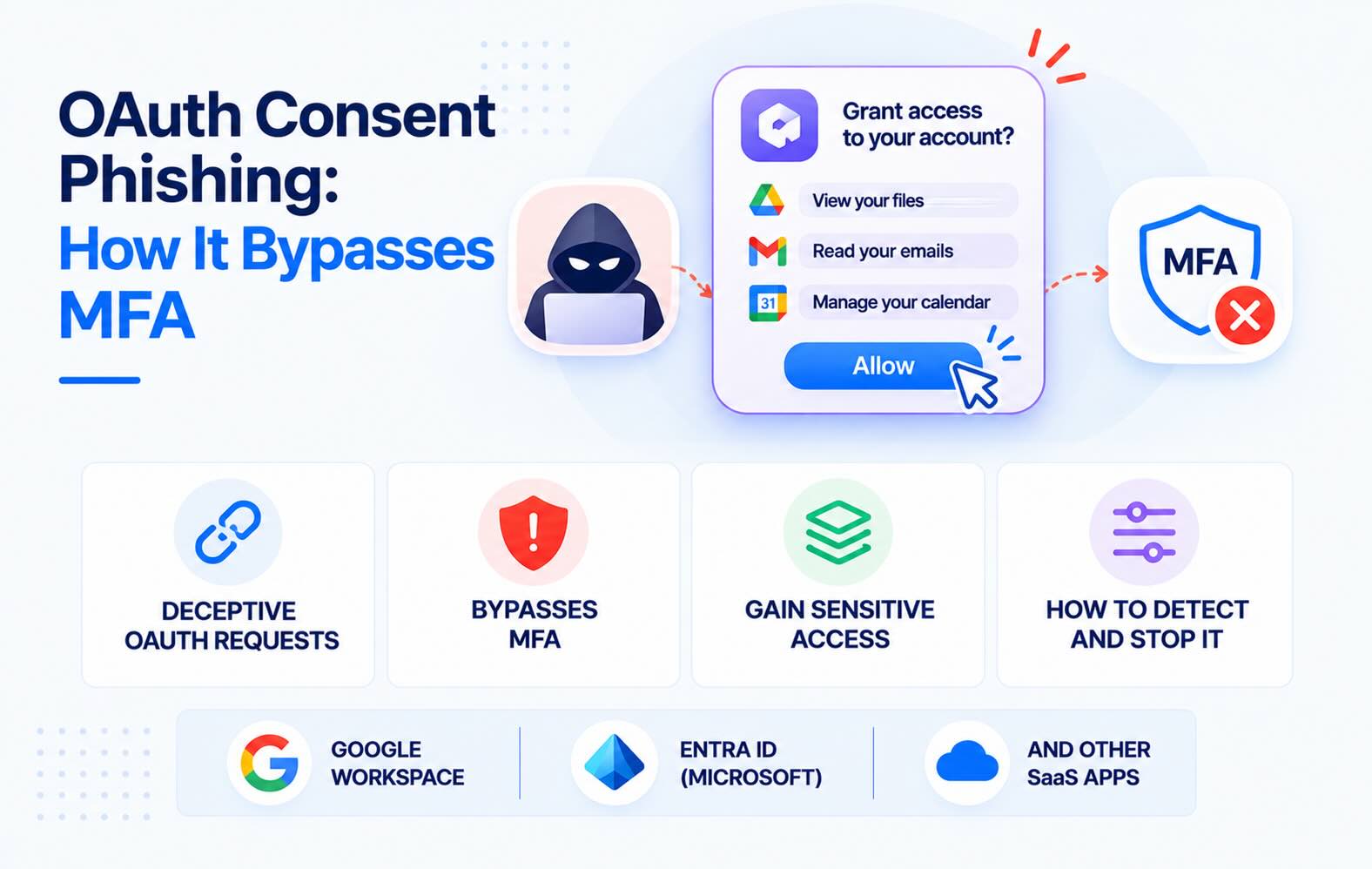
OAuth consent phishing tricks someone into approving a malicious app on a real Google or Microsoft consent screen. The attacker never sees the password, MFA doesn't help, and a password reset doesn't end the access. On September 1, 2026, the FBI warned about a wave of these attacks. This guide explains how consent phishing works, what the FBI described, and the settings that stop it in Google Workspace and Microsoft Entra ID.
- Consent phishing steals permission, not passwords. The victim signs in on a genuine Google or Microsoft page and clicks Allow. The attacker's app gets a token to read and send mail or open files.
- The FBI says a password change doesn't fix it. Access "can only be revoked by the victim invalidating the token in their application security settings; not by changing the password" (FBI PSA I-090126).
- The defaults let it happen. Google Workspace lets users connect any third-party app by default, and Entra ID tenants on the old "Allow user consent for apps" setting let users approve apps that read their mail.
- Tightening consent settings doesn't remove grants already made. You still have to find existing grants and remove them one by one.
- Watch new grants weekly. Microsoft recommends a weekly review of consent grants in larger organizations, because the attack leaves no failed login to alert on.
What is consent phishing?
Consent phishing (also called OAuth phishing, OAuth consent phishing or an illicit consent grant attack) is a phishing attack that asks the victim to approve an app instead of typing a password. It works in four steps:
- The attacker registers an app with Google or Microsoft and gives it a trustworthy name, such as "Secure Document Viewer" or a near copy of a known product.
- They send a link, by email or, increasingly, in a direct message. The link opens a genuine consent screen hosted by Google or Microsoft.
- The victim signs in and clicks Allow. They complete their own MFA prompt, so nothing looks wrong. The screen lists the permissions, such as read your email or see and download your files, but few people read them.
- The app receives a token and uses it from the attacker's servers. With a refresh token it keeps access for weeks or months, and nobody signs in again, so there's no login alert.
Microsoft's own description is blunt: because the app is external, "normal remediation steps (for example, resetting passwords or requiring multifactor authentication (MFA)) aren't effective against this type of attack" (Microsoft Learn).
What the FBI warned about in September 2026
On September 1, 2026, the FBI's Internet Crime Complaint Center published a public service announcement on OAuth consent phishing (FBI IC3, PSA I-090126). Its main points:
- Who is targeted: "prominent victims, their family members, and personal acquaintances", contacted through direct messages on commercial messaging apps. The FBI says the activity has run since late 2025.
- The lure: attackers pose as government officials, media personalities or event coordinators, and send links disguised as shared files or event invitations.
- The screen: the link leads to a legitimate permission screen from a provider such as Microsoft or Google. The victim's credentials never reach the attacker.
- The result: "persistent access to a target's account" to "read and send emails, and access sensitive data", which bypasses "both passwords and multi-factor authentication".
- The fix: the token has to be revoked in the account's security settings. "Immediate removal of the app via the user's security settings is necessary for remediation."
The PSA is written for individuals, but the same attack reaches work accounts. When an executive or assistant approves the app with a company Google or Microsoft account, the attacker reads company mail.
Consent phishing vs. password phishing
- What the victim gives away: in password phishing, a password and often an MFA code; in consent phishing, permission for an app.
- Where it happens: a fake login page, versus the real Google or Microsoft page.
- Does MFA stop it? Phishing-resistant MFA stops password phishing. It doesn't stop consent phishing, because the victim completes MFA themselves.
- Does a password reset end it? Usually for password phishing. Not for consent phishing: the app keeps its token.
- What the logs show: a suspicious sign-in, versus a consent event followed by API calls from the app.
That last point is why detection needs a different place to look: the app access log, not the sign-in log.
Related OAuth attacks in 2026
Two other techniques abuse the same sign-in plumbing and often show up in the same reports:
- OAuth redirect abuse. In March 2026, Microsoft described phishing campaigns that used real Microsoft Entra ID and Google OAuth links with deliberately invalid parameters. Instead of a consent screen, the error flow redirected victims to attacker sites that delivered malware. Government and public-sector organizations were the main targets (Microsoft Security blog). The link looks safe because it starts with
login.microsoftonline.comoraccounts.google.com. - Device code phishing. The victim is asked to enter a short code on Microsoft's real device login page, which signs the attacker's session in as them. EvilTokens, a phishing kit sold since mid-February 2026, used it to reach more than 340 Microsoft 365 organizations in five weeks (The Hacker News). Unlike consent phishing, no third-party app is approved, so the defense is different: block the device code flow (see below).
How to stop consent phishing in Google Workspace
Menu names are as of November 2026.
- Change the default for unreviewed apps. In the Admin console, go to Security → Access and data control → API controls → Settings. Set Unconfigured third-party apps to "Allow users to access third-party apps that only request basic info needed for Sign in with Google". Users can still sign in to apps with Google, but an app you haven't reviewed can't reach Gmail or Drive (Google Workspace Admin Help).
- Trust the apps you've approved. Mark reviewed apps as Trusted or Specific Google data, and set Gmail, Drive and Calendar to Restricted under Google services.
- Don't rely on Google's unverified-app warning. Apps that request sensitive scopes without passing Google's verification show a "Google hasn't verified this app" screen and are limited to 100 new users (Google Cloud Help). A targeted attack needs far fewer than 100 victims, and people click through warnings.
- Turn off automatic forwarding. In Apps → Google Workspace → Gmail → End User Access, turn off Automatic forwarding. It closes one way a hijacked mailbox leaks mail.
Our Google Workspace security checklist covers the rest of the API controls.
How to stop consent phishing in Microsoft Entra ID
- Restrict user consent. In the Microsoft Entra admin center, go to Identity → Applications → Enterprise apps → Consent and permissions → User consent settings. Choose "Do not allow user consent", or "Allow user consent for apps from verified publishers, for selected permissions" and classify which permissions count as low impact. Microsoft recommends allowing user consent "only for applications that have been published by a verified publisher" (Microsoft Learn).
- Check whether Microsoft manages your consent settings. In tenants set to "Let Microsoft manage your consent settings", the default for new tenants, users can no longer consent on their own to permissions such as
Mail.ReadandCalendars.Read. Microsoft finished rolling out the mail and calendar restrictions in late 2025 (Microsoft Learn). Older tenants on custom settings weren't changed. - Turn on the admin consent workflow, so users who hit a blocked app can request approval instead of looking for a workaround.
- Block device code flow. Create a Conditional Access policy with the Authentication flows condition and block device code flow, with exceptions only for devices that need it, such as conference room systems. Microsoft "recommends blocking device code flow wherever possible" (Microsoft Learn).
New settings only apply to future consents. Microsoft is explicit that existing consent grants "remain unchanged", so the next step is finding them.
How to check whether you've already been hit
Google Workspace
- Reporting → Audit and investigation → OAuth log events shows who granted which app which scopes, and when. Look for apps with Gmail or Drive scopes that only one or two people approved, especially executives and their assistants.
- Security → Access and data control → API controls → Manage Third-Party App Access lists every app that has accessed your data and its user count.
Microsoft Entra ID
- In the Microsoft Defender portal, search the audit log for Consent to application activities. Entries can take 30 minutes to 24 hours to appear. An unexpected
IsAdminConsentvalue of True means someone may have granted access for the whole organization. - To see one user's apps, open the user in the Entra admin center and select Applications. Users can review their own apps at myapps.microsoft.com.
Signals worth a closer look: a generic or misspelled app name, an unverified publisher, mail or file scopes the app doesn't need, and several people approving the same unknown app within a short time. Our guide to detecting malicious OAuth apps covers these signals in more depth, and the OAuth app audit guide walks through a full review of every connected app.
How to remove a malicious app (a password reset won't)
First, remove the grant, not the password:
- Google Workspace: open the user, then Security → Connected applications, and remove the app. To stop it for everyone, set it to Blocked in API controls.
- Microsoft Entra ID: open the user, then Applications, select the app and choose Remove. In PowerShell, use
Remove-MgOauth2PermissionGrantfor delegated grants. - Individuals: Google users can remove access at myaccount.google.com/connections; Microsoft users at myapps.microsoft.com.
Then:
- Check what the app did. Review mailbox rules and forwarding, sent mail and file activity for the period the app had access. In Microsoft 365 this needs mailbox and activity auditing to have been on before the attack.
- Remember tokens already issued. Even when Microsoft disables a malicious app across all tenants, "existing access tokens are still valid until their expiration" (Microsoft Learn). For a fast stop, temporarily disable sign-in for the affected account.
- Report it. In Microsoft, use the Report it here link on the consent prompt. The FBI asks victims to report to ic3.gov.
FAQs
What is consent phishing?
Consent phishing is a phishing attack that tricks someone into approving a malicious app on a real Google or Microsoft consent screen. The app then receives a token to the person's mail, files or calendar. The attacker never sees the password, and MFA doesn't stop it because the victim completes the sign-in themselves.
What did the FBI warn about OAuth consent phishing?
In public service announcement I-090126, published September 1, 2026, the FBI warned that attackers impersonating officials, media personalities and event coordinators send direct-message links to prominent people and their contacts. The links lead to real Microsoft or Google permission screens, and the access can only be ended by revoking the app, not by changing the password.
Does MFA protect against consent phishing?
No. The victim signs in on the genuine provider page and completes their own MFA prompt before approving the app. MFA protects the sign-in; consent phishing abuses what happens after it.
Does changing the password remove a malicious app?
No. The app holds its own token, which keeps working after a password change. You have to remove the app's grant in the account's security settings or in the admin console.
How do I prevent consent phishing in Google Workspace?
In API controls, set Unconfigured third-party apps to allow only apps that request basic sign-in info, mark the apps you approve as Trusted, and set Gmail, Drive and Calendar to Restricted. Then review the OAuth log events report for new grants every week.
How do I prevent consent phishing in Microsoft Entra ID?
Restrict user consent to verified publishers and low-impact permissions, or turn it off, and enable the admin consent workflow. Check whether your tenant uses Microsoft-managed consent settings, and block device code flow with Conditional Access to stop the related device code phishing.
What is the difference between consent phishing and device code phishing?
In consent phishing the victim approves a malicious third-party app. In device code phishing the victim enters a code on Microsoft's real device login page, which signs the attacker's session in as them. Both bypass MFA; the first is stopped with consent settings, the second by blocking device code flow.
How do I find malicious OAuth apps that are already connected?
In Google Workspace, check OAuth log events and the Accessed apps list. In Microsoft 365, search the audit log for Consent to application activities and review each user's Applications page in Entra. Look for unknown apps with mail or file scopes approved by only a few people.
How does Synk.to help with consent phishing?
Synk.to connects read-only to Google Workspace or Microsoft Entra ID in about 5 minutes, with no admin rights. It lists every OAuth app your users approved, who approved it and which scopes it holds, rated Critical, High, Medium or Low. Alerts fire when a new risky app appears or a user grants a risky scope, so a consent phishing grant gets flagged without waiting for the next audit. You remove the grant in the admin console. Start free.
Connect Google Workspace or Microsoft Entra ID read-only. Synk.to lists every account, OAuth app and AI tool, and flags inactive, orphaned and ex-employee accounts. $1 per user per month.